CodePad.Py
A downloadable tool for Windows
What Is CodePad?
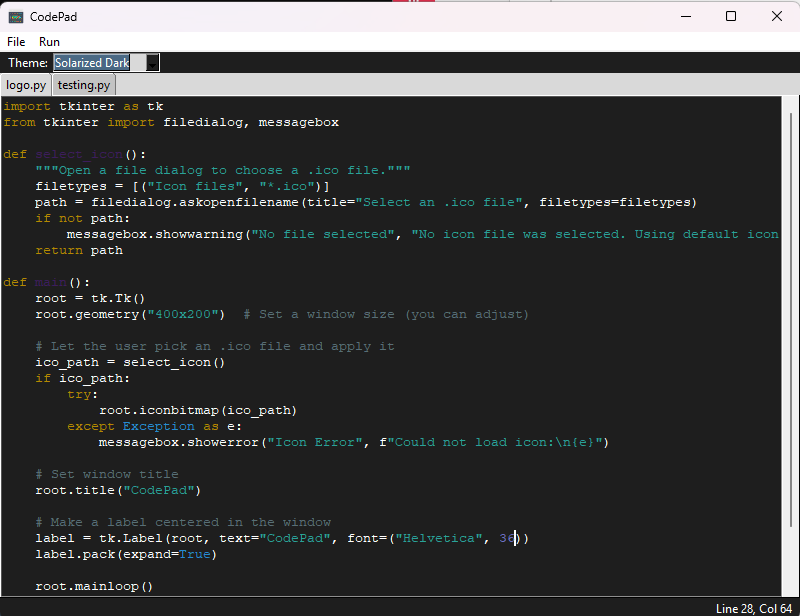
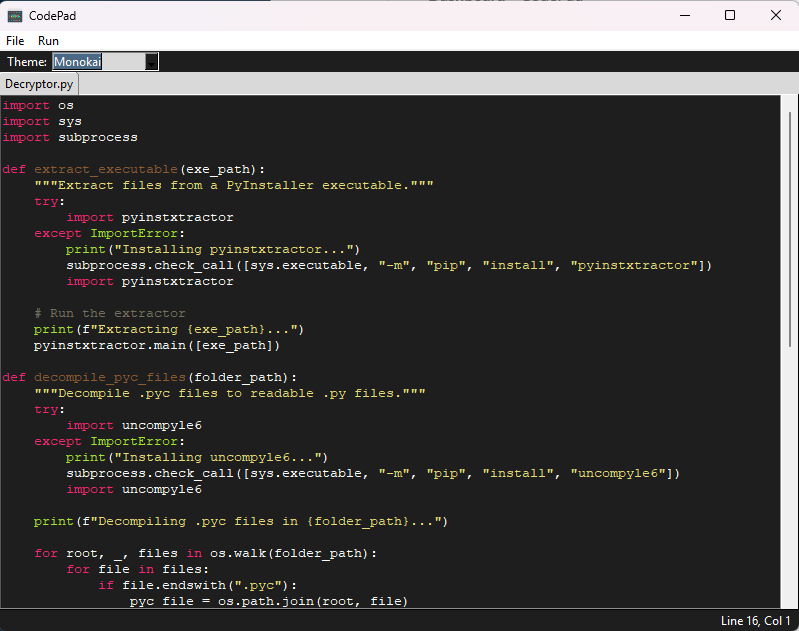
CodePad is a standalone desktop application that lets you create, edit, and run Python scripts in one place. Think of it as a “Notepad” for Python, with syntax highlighting, multi-tab support, search, theming, and quick execution.
Key Features
-
Tabbed Editing
– Open multiple.pyfiles side by side in tabs.
– Close with Esc or via the File ▸ Close command. -
Syntax Highlighting
– Built-in themes (Ember, Turtle Green, Monokai, Solarized Dark).
– Highlights Python keywords, built-ins, strings, comments, function/class names, types (int/float), and numbers. -
Auto-Indent and Dedent
– Enter carries forward the current line’s indentation automatically.
– Ctrl + indents the current line or selection by four spaces.
– Ctrl – (minus) dedents likewise. -
Quick Search
– Press Ctrl F to open/close a small search bar—type your query, then ▲/▼ to jump between matches.
– Matches are temporarily highlighted in yellow. -
Run Module
– Executes the current script without leaving the app.
– Bundled to call your system’s Python interpreter (so third-party modules likepygame).
– Errors popup in a dialog so you can fix them immediately.
Download
Click download now to get access to the following files:
Leave a comment
Log in with itch.io to leave a comment.